After using several Synology NAS’es for many years, I now decided to go for a DIY NAS. I grew discontented with the Synology NAS’es for several reasons. The most important reason is the fact that I use the provided packages of the Synology less and less and relied more and more on docker containers for all kind of services. One of those is a revere proxy service, which was a bit more complex to run, due to the fact that the 80 and 443 TCP ports are already in use by the Synology software itself. And yes, I have used the reverse proxy software that’s included in the DSM software, but it’s limited and thus not usable when running more complex services behind the reverse proxy, such as Nextcloud.
Furthermore, the DSM software relies on a rather old Linux kernel and features like LUKS volume based encryption became available from version 7 of the DSM software. Besides the old Linux kernel it relies on, it also restricts the packages and is running a private VPN service like Tailscale more limited or more complex.
And if that isn’t enough, Synology decided to restrict their NAS’es further by restricting features on non-Synology-branded hardware.
So, I decided to move away from Synology and searched for another solution for my home NAS. I looked at a couple of other NAS software solutions like, Unraid or TrueNAS, but in the end decided against any NAS software, but to go for a clean Debian install, as I will almost exclusively run docker containers for all of my services.
I got inspired by a blog post from Kevin Tong (https://tongkl.com/building-a-nas-part-1/) and decided to build more or less the same NAS, although, I made a couple of different decisions along the way.
Hardware selection
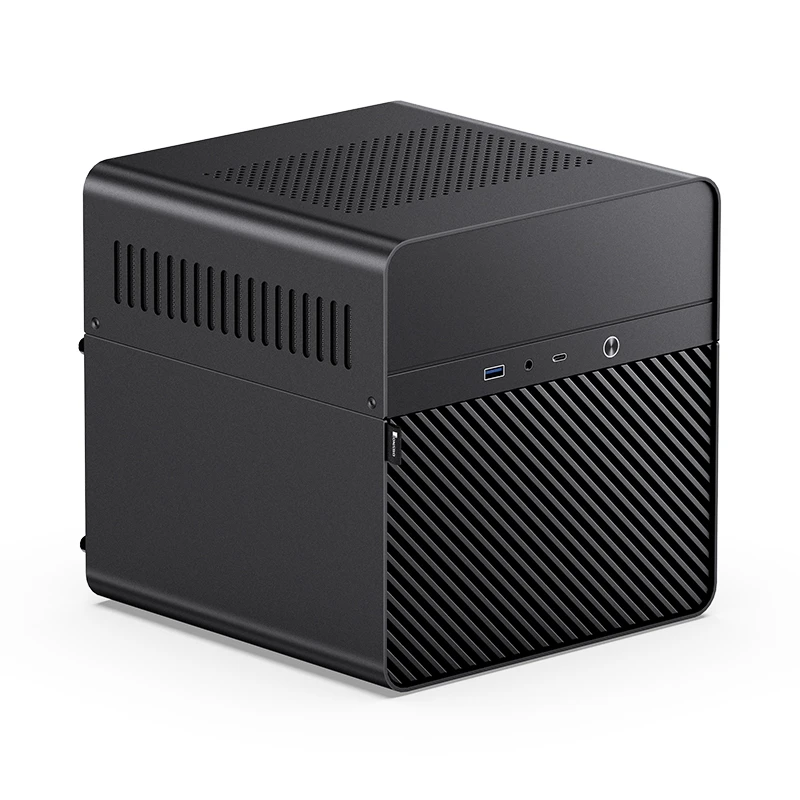
First, the case, as that decision will have impact on the rest of the build. In this I made the first different decision from Kevin. He chose the Fractal Design Node 304, but I went for the Jonsbo N2. The Fractal Design is smaller and can even house six 3.5″ disks instead of the five in the Jonsbo N2, but the Jonsbo has hot-swap bays, space for one (or if needed even two) 2.5″ SSD disk(s), the PSU in a compartment next to hard drive bays and space for the mini-ITX mainboard in another compartment on top making it possible to have a nice clean build.
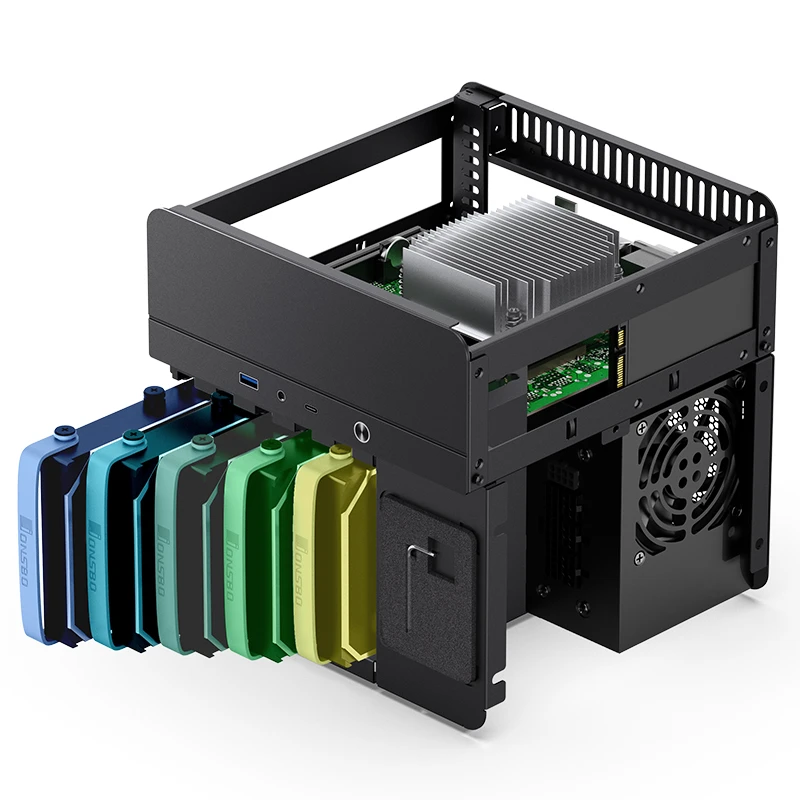
The Jonsbo N2
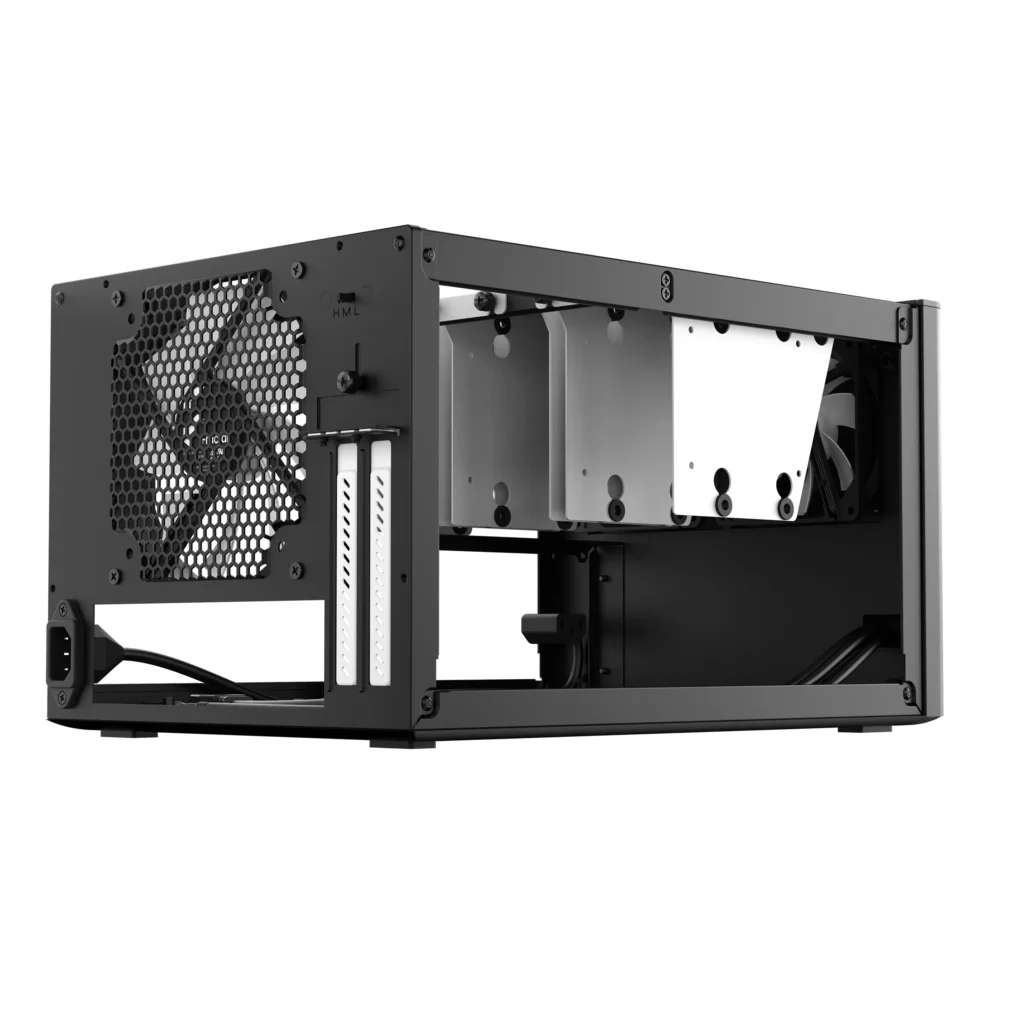
The Fractal Design Node 304
Most commercial NAS’es come with an under-powered CPU or get very expensive, but with our own build, we can search for a CPU with enough power and being power efficient. Kevin went for the Intel N100, and I think that’s a wise choice. It’s a 12th Gen Intel CPU and comes with an integrated GPU that supports QuickSync! Yes, hardware en/decoding for Plex, Jellyfin or whatever media management software you’re running! Both cases can house a mini-ITX mainboard. Kevin made a comparison between a couple of mini-ITX boards, that have the Intel N100 CPU onboard. He went for the ASUS Prime N100I-D D4 and so did I, although I found some really nice alternatives on Amazon if you search for “nas motherboard mini itx” and have a bit more cash to spare. If you have even more cash to spare you could get one of those with an Intel N305 onboard.
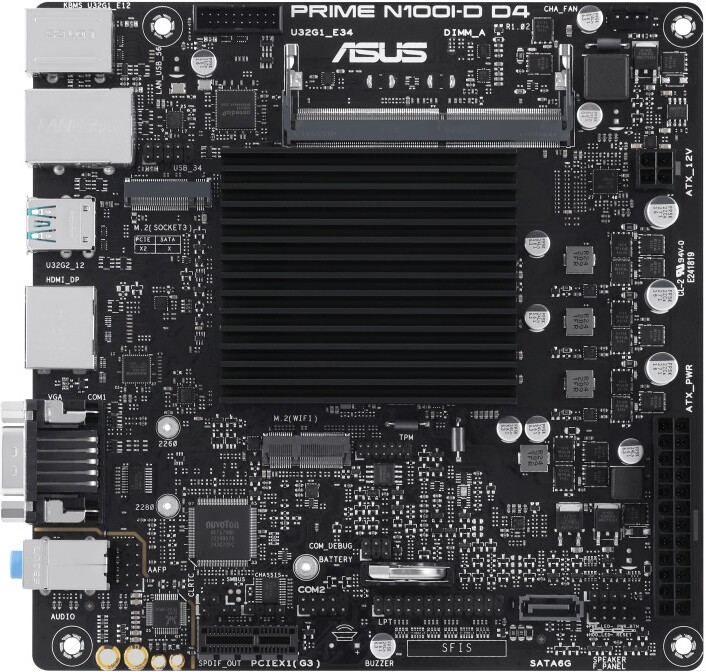
ASUS Prime N100I-D D4

MNBOXCONET N100 NAS Mainboard DDR5 Low Power, 6×SATA3.0 Mini ITX Motherboard, Firewall Computer Board Dual M.2 2280 NVMe(PCle3.0 x1), Barebone, 4 x 2.5GBE LAN, Type C, SPK/MIC
Kevin went for the Corsair RM750x SHIFT as PSU, because the layout for the Fractal Design is different from most other cases. I went for the Lian Li SP750 750W SFX. Both are modular PSU’s.
Intel states on its site that the N100 can address 16GB of memory, but on mutiple sites it was stated that a 32GB or even a 48GB SoDIMM would work. I opted for the Corsair DDR4 SODIMM Vengeance 1x32GB 3200, which worked perfect.
As boot and base OS drive I opted for the Samsung 870 EVO 250GB 2.5″ SSD. The drive will only be used for boot, the Debian base OS and swap. All other services, including the Docker images, will run on multiple hard disks in 5 available bays, but on that later more. I needed to opt for 2.5″ SSD, as the mainboard only has one SATA port and the M.2 slot had to be used for a ASM1166 M.2-to-SATA converter. The ASM1166 controller has been chosen for its proper power management.
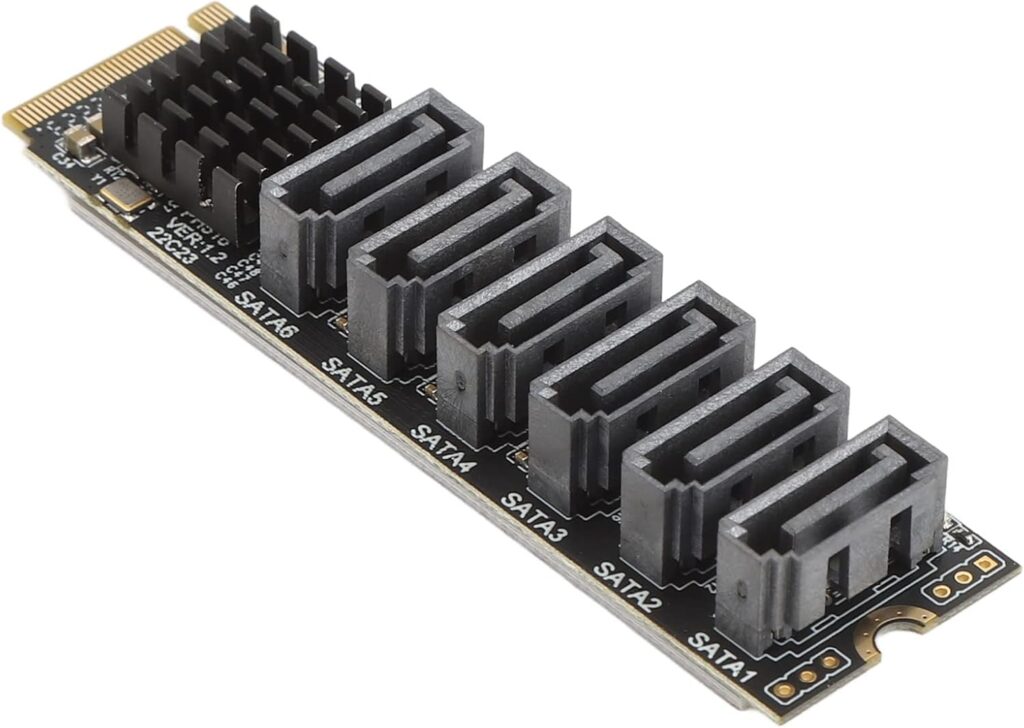
All the hardware in a nice table with prices as of mid 2025:
| Component | Product | Price |
| Chassis | Jonsbo N2 | € 144,- |
| PSU | Lian Li SP750 750W SFX | € 139,- |
| Mainboard + CPU | ASUS Prime N100I-D D4 | € 100,- |
| Memory | Corsair DDR4 SODIMM Vengeance 1x32GB 3200 | € 50.- |
| Boot and base OS drive | Samsung 870 EVO 250GB 2.5″ SSD | € 49,- |
| SATA port extender | ASM1166 M.2-to-SATA converter | € 25,- |
| SATA cables | 5 extra SATA cables | € 20,- |
| Total | € 527,- |
This setup is a replacement of a Synology DS1621+, which at this moment still is priced at a little above € 900,-! And that’s with the default 4GB of memory!
Well that’s the hardware part, in the second part I will talk about the installation and configuration of the different parts of the software running on this DIY NAS.